
Technical On Page SEO: Schema, Speed & Mobile Optimization Tips
On-page SEO is all about making each page of your website easy to understand for both search engines and visitors. It includes clear headings, organized content, and proper tags. For businesses in the USA, Technical On Page SEO is essential. A fast, mobile-friendly website with clean code delivers a smooth user experience. This helps your site rank higher in search results, bringing more potential customers.
In this article, we will focus on three key areas: Schema markup, website speed, and mobile optimization. These tips will make your website more visible, faster, and easier for visitors to use.
What Is Technical On‑Page SEO?
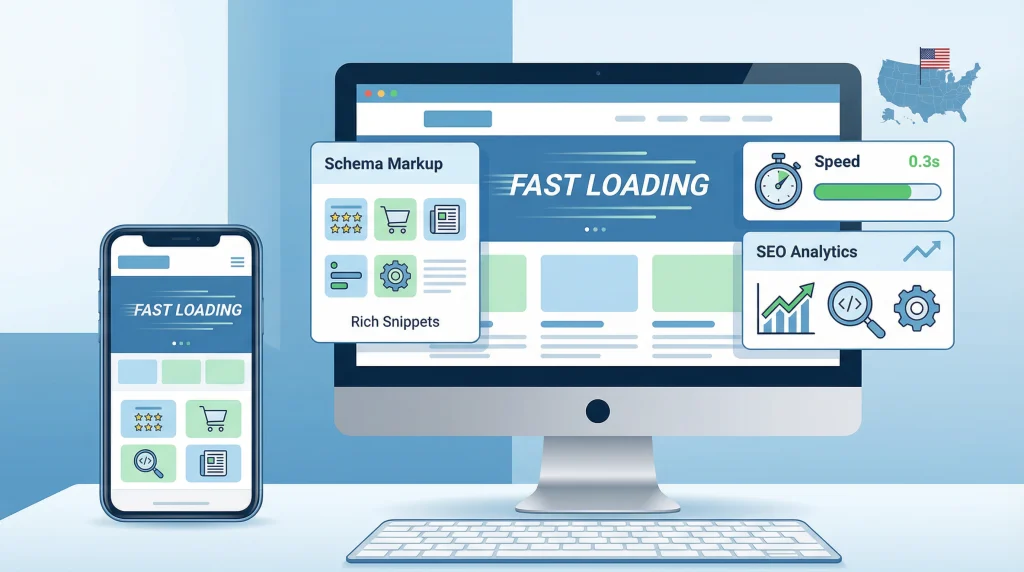
Technical On‑Page SEO is all about making your website easy for search engines and visitors to use. It focuses on the behind-the-scenes parts of your site. Things like site structure, speed, mobile design, and clean code all matter.
In simple terms, technical SEO is like the foundation of a house. Even with great content, your site won’t perform well without a strong base. A website with good technical SEO loads fast, uses clean links, and avoids broken pages.
How Technical SEO Affects Search Rankings
Search engines like Google need to understand your website. Technical SEO helps them crawl and index your pages correctly. If your site has fast pages, a mobile-friendly design, and a clear structure, it has a better chance of ranking higher.
On the other hand, broken links, duplicate content, or slow pages can hurt your rankings. A clean technical setup ensures search engines can find and show your best content to users.
Why Technical SEO Matters for Website Performance and User Experience
A website that works smoothly keeps visitors happy. Fast-loading pages keep people on the page longer and encourage exploration. Mobile-friendly sites are crucial because many users browse on phones.
Technical SEO also organizes your website. Clear navigation, consistent URLs, and no broken links make it easier for visitors to find what they need. A well-structured site builds trust and encourages users to take action.
Finally, technical SEO helps you maintain control. When you add new pages or update content, a strong technical foundation helps prevent errors such as lost pages or duplicate content.
Many websites lose valuable traffic because of common Local SEO Mistakes. Issues like inconsistent NAP details, missing local schema, or slow mobile pages can weaken your visibility in local searches. Fixing these errors strengthens trust, improves map rankings, and helps nearby customers find you faster.
Schema Markup: Boost Search Visibility
What is Schema — and Why It Matters
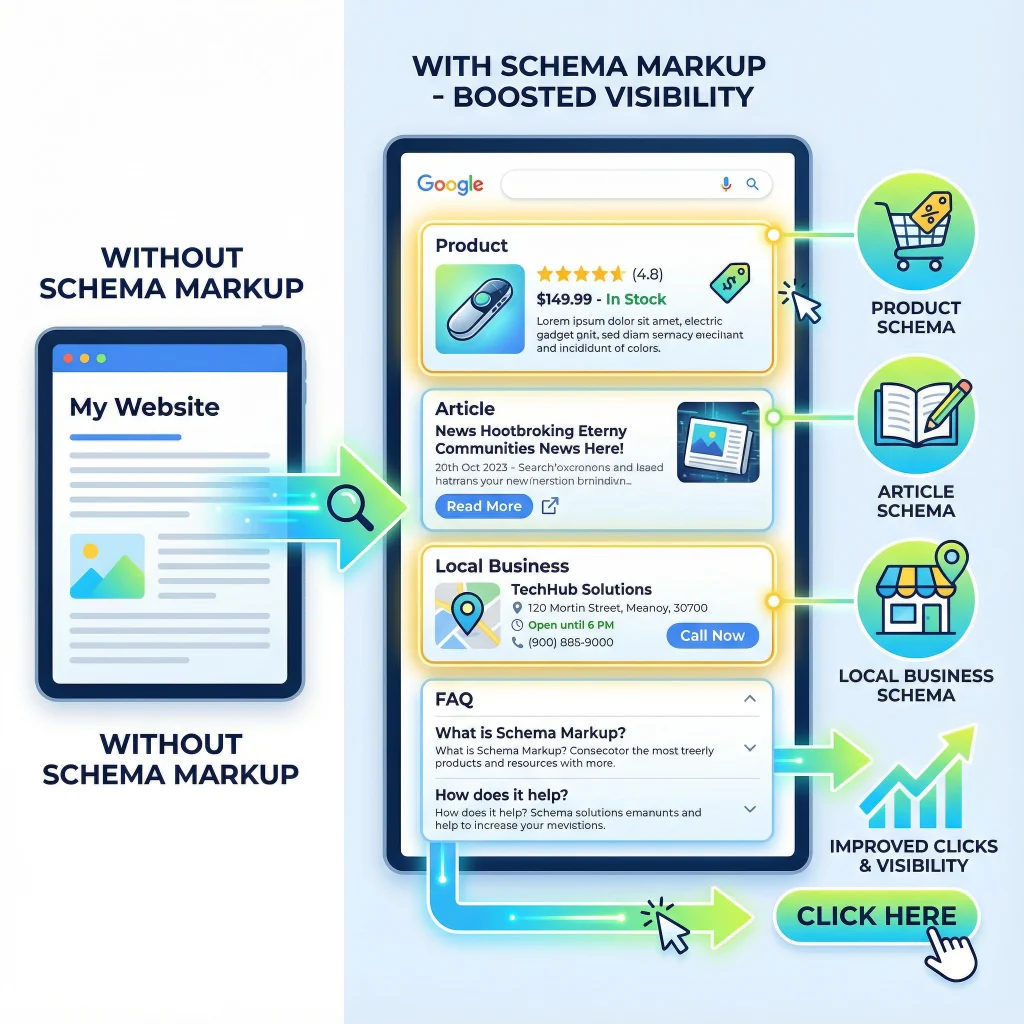
Schema markup, also called structured data, is a special code added to your website. It helps search engines like Google and Bing understand your content clearly. Without a schema, search engines guess what your page is about. With schema, you can tell them exactly: “This is a product,” “This is an article,” or “This is a local business.” Knowing this helps search engines better show your site. For businesses, using schema can increase your visibility and make your pages more attractive in search results.
Examples of Common Schema Types
Here are some of the most useful and widely used schema types for businesses and content websites:
Product Schema — Use this when you sell products online or list items. It can include details like the product name, price, availability, and ratings or reviews.
Article (or News/Blog) Schema — Ideal for articles, blog posts, and news pages. It helps search engines understand the article’s title, author, publication date, and main content type.
LocalBusiness Schema — Perfect for businesses with physical locations, such as shops, agencies, or service providers. This schema includes business name, address, phone number, opening hours, geo-coordinates, and contact details.
Other useful schema types, depending on your page, include Review Schema, FAQ Schema, Event Schema, and Breadcrumb Schema. These can highlight reviews, answer common questions, list events, or show navigation paths for content.
Choosing the right schema type depends on the kind of content or business you run.
Tips to Implement Schema Without Coding
You don’t need to be a developer to add schema markup. If your site uses a CMS like WordPress, Shopify, or Wix, many plugins and built-in modules handle schema automatically. You can also use free schema generators online. Simply fill in the fields for your page, and the tool will create the code for you. Copy this code into your website, usually in JSON‑LD format. Another option is Google Tag Manager, which lets you deploy schema without editing your site’s HTML directly. After adding the schema, always test it with tools like Google Rich Results Test to ensure everything works properly.
How Schema Improves Click‑Through Rates and Rich Results
Schema can turn normal search results into enhanced listings, called “rich results.” These may show star ratings, prices, images, business hours, or FAQs directly in search results. Rich results stand out and catch attention. For example, a product page with schema might display: “$49.99 – In stock – ★ 4.8 (150 reviews).” This makes users more likely to click. Local businesses can include their address, phone number, or map directions in the snippet, helping potential customers act more quickly. Schema can also help your content appear in knowledge panels, voice search results, or “People also ask” boxes. Overall, a schema makes your website more visible, trusted, and clickable.

Website Speed: Why Every Second Counts
How Page Speed Impacts SEO and Conversions
Page speed is how quickly your website loads for users. A slow site frustrates visitors, and many will leave before it finishes loading. This increases bounce rates and lowers conversions.
Search engines, like Google, also consider page speed when ranking websites. Faster pages often rank higher. Even a one-second delay can reduce conversions by up to 7%. A fast-loading site feels professional and trustworthy. Users stay longer, explore more, and are more likely to take action.
Tools to Measure Website Speed
To improve your website, you first need to know how fast it loads. Two popular tools are:
- Google PageSpeed Insights – This tool checks your website speed, provides a score, and suggests fixes.
- GTmetrix – GTmetrix provides a detailed breakdown of what may be slowing your site, such as images, scripts, or code.
Using both tools gives a clear picture of your site’s performance. You can then focus on fixes with the biggest impact.
Practical Tips to Improve Speed
Optimize Images and Videos
Large images and videos can slow your site down. Compress them before uploading. Use modern formats, like WebP. Make images responsive so devices only load what they need. This saves bandwidth and speeds up page load time.
Minify CSS and JavaScript
Minifying removes extra spaces, comments, and unnecessary code. This makes files smaller and faster to load. Combining files can also reduce the number of requests your site makes.
Use Caching and a CDN (Content Delivery Network)
Caching stores website data so returning visitors don’t need to reload everything. A CDN delivers your site from servers close to your visitors. This reduces delay, especially for customers across the U.S. or internationally.
Mobile Speed: Why It Matters for U.S. Users
More people now browse the web on mobile devices than ever before. Mobile speed isn’t optional — it’s critical. Search engines often index the mobile version of your site first. If mobile pages are slow, your rankings and visibility can drop.
Fast mobile pages improve user experience. Visitors are more likely to stay, explore, and take action. For businesses serving U.S. customers, this can boost engagement, lead generation, and sales.
Mobile Optimization: Reach Users Anywhere
What is Mobile‑First Indexing and Responsive Design
Most people now browse the web on their phones. Because of this, search engines focus on mobile versions first. This is called mobile‑first indexing. Google checks the mobile version of your website before ranking it. If your mobile site works well, your rankings improve.
Responsive design makes your website adapt to any screen size. Text, images, and buttons adjust automatically. Users can view your site on phones, tablets, or desktops without zooming or scrolling awkwardly. This one design fits all devices and keeps visitors happy.
Tips for Mobile‑Friendly Websites
Clean Layout and Navigation
A simple layout helps users find information quickly. Avoid clutter and crowded menus. A collapsible menu or sticky navigation keeps important pages easily accessible. Make sure visitors can access what they need in just one or two taps.
Tap‑Friendly Buttons and Readable Font Sizes
Buttons should be large enough for fingers, not just mouse clicks. Leave space between buttons to prevent mistakes. Text should be readable without zooming. Use clear fonts and proper spacing to make reading easy.
Fast‑Loading Mobile Pages
Speed is crucial on mobile. Compress images and videos to reduce page weight. Minify CSS, JavaScript, and HTML. Use lazy loading so content loads only when visible. Caching and a content delivery network (CDN) also help pages load faster. Avoid heavy scripts or unnecessary redirects that slow your site.
How Mobile Optimization Improves Rankings and Engagement
A mobile-friendly site attracts more visitors. Fast, easy-to-use pages reduce bounce rates. Users stay longer and explore more content. This leads to higher engagement and more conversions.
Since Google indexes mobile versions first, optimizing for mobile gives your website a ranking advantage. A smooth mobile experience builds trust and keeps potential clients coming back.
Combining Schema, Speed, and Mobile Optimization — Why They Work Together for SEO
Using schema markup, fast page speed, and mobile-friendly design together improves your SEO. Each element supports the others and boosts your site’s performance.
How They Work Together
Schema helps search engines understand your pages, making them eligible for rich results. Speed keeps visitors from leaving your site. Mobile optimization ensures your site works well on phones. Together, they create a smooth, engaging experience for users.
Business Benefits: More Traffic, Better Conversions, Higher Trust
- More traffic: Rich results from schema attract clicks. Fast, mobile-ready pages keep visitors exploring.
- Better conversions: Quick load times and smooth mobile experience encourage users to take action.
- Stronger trust: Ratings, reviews, and clear info build credibility. Mobile and fast pages reinforce trust.
- Competitive edge: Sites with all three stand out and perform better than competitors.
- Long-term ROI: Improved traffic, engagement, and conversions mean more leads without extra ad spend.
Common Mistakes to Avoid in Technical On-Page SEO
Overloading schema or using wrong types
Using the wrong schema type or too many schemas on one page can confuse search engines. For example, applying a “Product” schema on a service page or mixing multiple schemas can prevent rich results from appearing. Small formatting mistakes, such as missing commas or incorrect data types, can invalidate your markup. Always choose the correct schema type, keep it accurate, and test it regularly.
Ignoring mobile usability
Many sites are designed for desktop first, then adapted poorly for mobile. Tiny buttons, unreadable fonts, or layouts that don’t scale frustrate users. Mobile visitors may leave quickly, which can increase bounce rates and hurt SEO. Make your site responsive, use readable fonts, tap-friendly buttons, and test on real devices for the best results.
Large images slowing down the site
Heavy images can drastically slow your site. Large files take longer to load, especially on mobile or slow connections. Slow pages frustrate users and reduce search rankings. Resize images to the correct dimensions, compress them, use modern formats like WebP, and consider lazy loading to keep pages fast.
Not testing speed after updates
Even a fast website can slow down after adding new plugins, scripts, or images. Many site owners forget to check the speed after updates. Slow pages affect both rankings and user experience. Always run speed tests after changes using tools like Google PageSpeed Insights or GTmetrix. Fix any issues promptly to maintain performance.
Tools & Resources
If you are new to technical SEO, don’t worry. These tools make it easy. Many are free and beginner-friendly.
Schema Testing Tools
- Google Rich Results Test – Check if your website’s structured data works. It shows errors and whether your page can get rich results.
- Yandex Structured Data Validator – Another simple tool to test your schema. It helps fix mistakes before publishing.
- Schema SiteCheckup – Quick online checker for structured data. No registration needed, good for fast checks.
Tip: Use these tools before publishing content. Correct schema increases chances for rich snippets like reviews, FAQs, or products.
Speed Checking Tools
- Google PageSpeed Insights – Measures speed for mobile and desktop. Gives tips to make your site faster.
- GTmetrix – Shows detailed load times, page size, and code issues. Helps fix slow websites.
- Lighthouse – A free browser tool. Audits performance, SEO basics, and mobile-friendliness all at once.
Tip: Check speed whenever you add images, videos, or plugins. Fast sites keep visitors happy and improve SEO.
Mobile Usability Tools
- Google PageSpeed Insights – Also checks mobile performance. Finds slow pages or layout problems.
- Lighthouse – Reports mobile-friendly issues like small buttons, text size, or page layout problems.
- Ahrefs Webmaster Tools (Free) – Finds mobile SEO issues like broken links or slow pages.
Tip: Most users browse on phones. Test mobile speed and layout often to keep visitors engaged.
Why Start with Free Tools
- Easy to use, no coding needed. Perfect for small businesses or beginners.
- Quickly spot errors, slow pages, mobile problems, or missing schema.
- Free tools give plenty of insights. You can upgrade later if needed.
Conclusion
In short, combining schema markup with fast page speed and mobile‑ready design gives your website a real advantage. Schema helps search engines understand your content. Fast load times and smooth mobile experience keep users engaged and reduce bounce rates. When you optimize all three, your site becomes more visible, user-friendly, and credible. That means more traffic, stronger trust, and better results for your business.
FAQs: Technical On-Page SEO, Schema, Speed & Mobile Optimization
1. What is technical on-page SEO?
Technical on-page SEO refers to optimizing your website’s structure, speed, mobile usability, and schema markup. It helps search engines crawl and index your pages efficiently, improving rankings. Good technical SEO also enhances user experience, reduces bounce rates, and ensures your site performs well across devices.
2. How does schema help SEO?
Schema markup is structured data added to your website’s code. It helps search engines better understand your content. Schema can create rich snippets like star ratings, product info, or event dates in search results. This can increase click-through rates and make your listing stand out from competitors.
3. Why is mobile optimization important?
Mobile optimization ensures your website looks and works well on smartphones and tablets. Google uses mobile-first indexing, meaning it primarily uses the mobile version for ranking. A mobile-friendly site improves user experience, reduces bounce rates, and increases engagement, which can boost search visibility.
4. How can I check my website speed?
You can use tools like Google PageSpeed Insights, GTmetrix, or Pingdom to test your site’s speed. These tools show page load times, highlight slow elements, and provide actionable tips like image optimization, caching, and script minification to improve performance.
5. Can I do this without coding knowledge?
Yes. Many website builders and plugins make technical SEO manageable without coding. For example, WordPress has plugins for schema, caching, and mobile optimization. Even beginners can implement these tips with step-by-step guides and online tutorials.






Comments
Comments are closed.